Page
Zibase tutorial: location with my iPhone
Before starting, you need all of this: A working Zibase server; A Zibase licence, which allows you to create events, and connect to your Zibase with Pilot;.
Page
Before starting, you need all of this: A working Zibase server; A Zibase licence, which allows you to create events, and connect to your Zibase with Pilot;.
This tutorial is made for the Zibase system. It will show you how to get your smartphone location, and trigger an event based on that. Before starting, you need all of this:
And that is all for your Zibase server! Now it is time to setup your Pilot app!
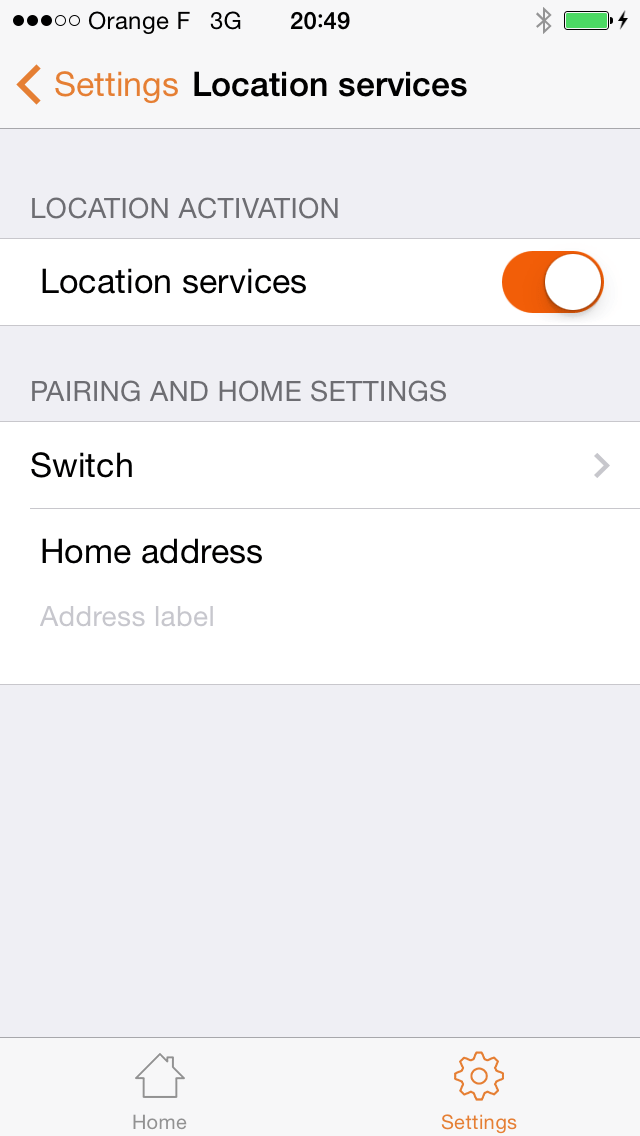
Pilot: location services activated
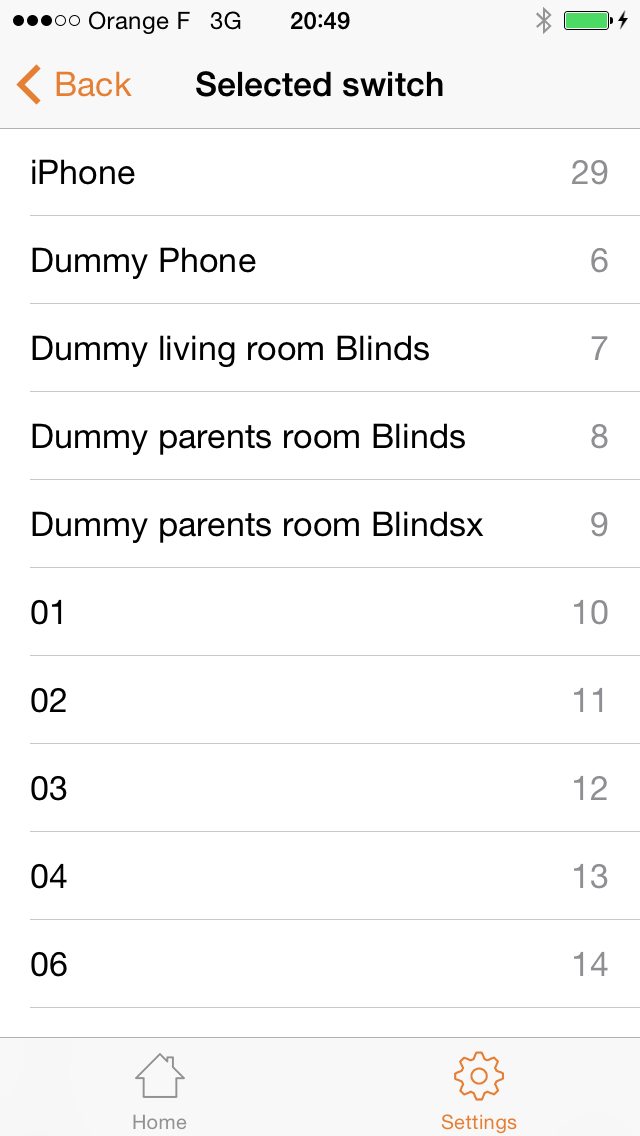
Pilot: selecting a switch
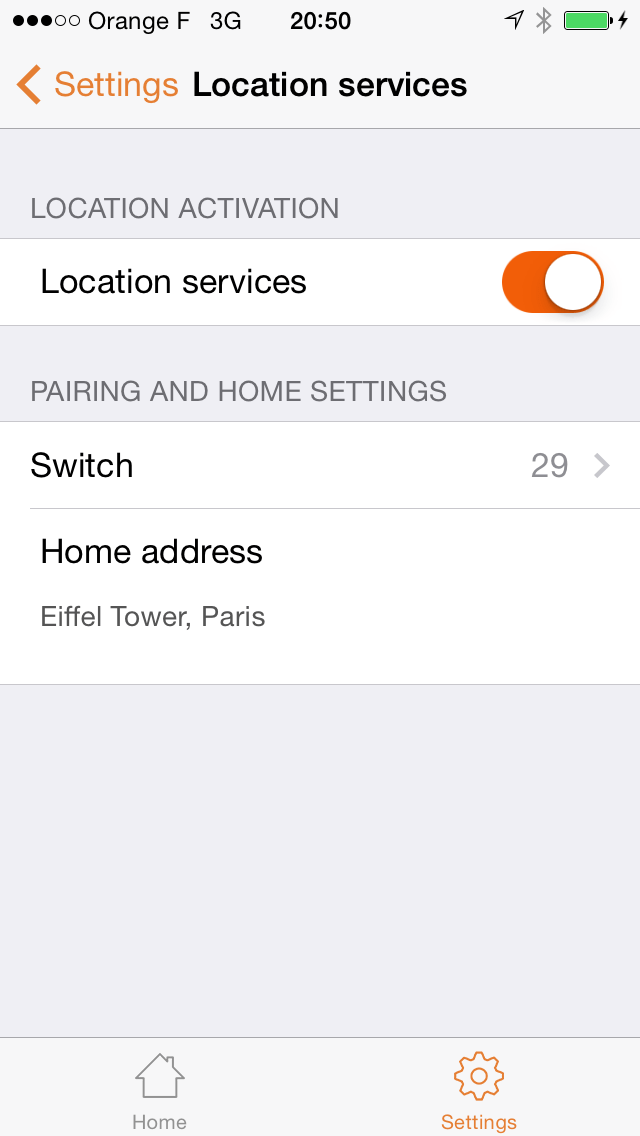
Pilot: location services correctly setup
And there you go! Your Zibase server and your app are now fully setup. It is now time to create our first event. It will trigger whatever action you want when your smartphone gets or leave home.
From there, you can create a new event in your Zibase admin panel. Just use your new virtual device, and use its current state (ON/OFF) to trigger a custom event.
As you might have guessed, the dummy switch goes “On” when the smartphone is home, and goes “Off” when it leaves home. Knowing that, you should be able to create your own events.
Get more info about Zibase events.
In this tutorial, I did the following:
Got any question? Please leave your comments below!